Why Remote Camera Control Platforms Fall Short (and How to Run One That Doesn't)
Seven reasons remote PTZ camera control fails on show day, from cloud-dependent control paths to mixed-brand presets, and the pre-show checks that prevent each one.

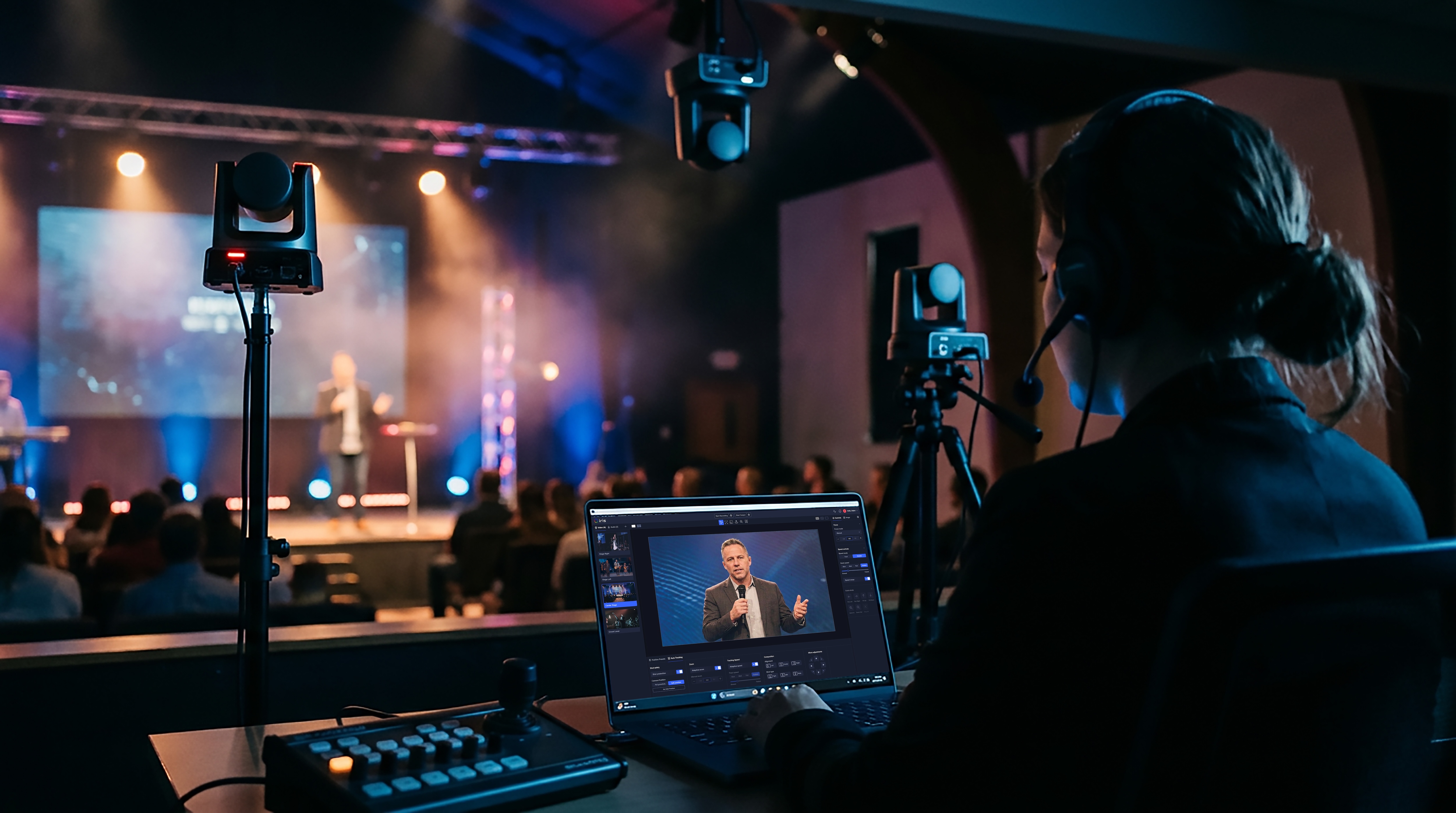
Remote camera control platforms let an operator pan, tilt, zoom, frame and shade PTZ cameras from somewhere other than the room the cameras are in — the back of the hall, a control room down the corridor, or another city. When they work, one person can run a whole production. When they don't, the failure happens on air. This guide covers the seven reasons video teams struggle with remote camera control, what each one looks like on show day, and the setup decisions that prevent it.
Key takeaways
• Most remote camera control failures are network and workflow problems, not camera problems.
• The biggest risks are a control path that depends on an internet connection it doesn't need, a "green light" that only proves the camera is reachable, one operator with no way to hand off, and controllers that only speak to one brand.
• Each has a fix you can test before the show, and most of them cost nothing.
1. The control path depends on the internet when it doesn't have to
The most common reason a remote camera control platform fails during a live event is that someone's video and control traffic is routed out to a cloud server and back when the cameras and the operator are on the same network. Every hop adds latency and one more thing that can drop. In a survey of 1,300 broadcast professionals, 41% named remote production their top technology priority for the next twelve months, and 82% still run SDI — which tells you most teams are adding remote control on top of local infrastructure, not replacing it.
What it looks like: control feels sluggish, presets land late, the camera keeps moving after you let go of the joystick, and when the venue Wi-Fi hiccups you lose control and the picture at once.
How to run it so it doesn't: Keep video on the local network whenever the operator is in the building, and only send it over the internet when someone genuinely remote needs it. Software-based control that offers a Local Mode (video stays on your LAN, internet used only for sign-in and collaboration) and a Cloud Mode (for the operator in another city) lets you choose per session instead of per product. Check the vendor's documentation for what "local" actually means; "I switched to local so my video isn't going through the cloud" is the single most common misunderstanding we see in support.
2. "Connected" is not the same as "controllable"
A status page that shows every camera online is reassuring right up to the moment a camera that is online ignores a command. Reachability (the camera answers a ping or a stream) and controllability (the camera executes a preset recall within a second) are different tests. Most dashboards only run the first one.
What it looks like: green dots everywhere, then "Waiting for command…" during the opening wide.
How to run it so it doesn't: before every show, recall one preset on every camera and watch it move. Build that into the run-of-show as a named step with an owner. Use a platform that surfaces command warnings and offline handling separately from stream health, and that shows you bitrate, frame rate and packet loss per camera rather than a single indicator.
3. One operator, no way to hand off
Remote control concentrates the whole production in one seat. If that operator's laptop sleeps, their browser tab closes, or they need to leave, there is no second seat to pick it up. Haivision's 2026 report found 49% of broadcasters now name budget as their top constraint — up from 45% — so the one-operator setup is becoming more common, not less.
How to run it so it doesn't: choose a platform where a Studio (the workspace) can be shared with more than one producer at a time, with roles (Owner, Admin, Producer, Viewer) so a volunteer can watch without accidentally moving the live camera, and where a remote colleague can be invited in for the duration of the show and expire afterward. Keep a "support seat" open: someone who can drop in from home and fix a preset while the service is running.
4. Every camera brand brings its own control app
A typical mixed fleet — a couple of Sony or Panasonic broadcast PTZs, a few PTZOptics or BirdDog units bought later, a Canon for the wide — means three or four control applications, three or four preset systems, and three or four different ideas about what "speed 12" means. Our own count in September 2026 found 55 brands selling 151 distinct hardware PTZ controller models, with almost no differentiation between them, and most of them tied to one protocol or brand.
What it looks like: presets numbered differently per camera; an operator who knows one app and not the others; a controller that drives the Sonys but not the Canon.
How to run it so it doesn't: standardize on a control layer that speaks the camera protocols directly (VISCA over IP, ONVIF, NDI, RTSP, plus the brand-specific HTTP APIs) and normalizes presets, speeds and image settings across brands. The test: can one operator recall preset 3 on every camera from one screen, with the same keystroke? One broadcast operations manager at a regional station described the goal as "a single, unified umbrella over just about every one of our IP-controllable cameras." That is the bar.
5. Latency you can't feel until you're live
Control latency compounds: the controller to the software, the software to the camera, the camera's own command processing (some Sony models add around 220 ms on their own), then the video path back to the operator's eyes. If the round trip is over half a second, operators start over-correcting, and the camera "hunts."
How to run it so it doesn't: measure it. Recall a preset and count frames in the return video. Under 300 ms of control latency over a local network is a reasonable target for software-based control. Keep control on the LAN even when the monitoring feed goes to the cloud, cap joystick speed for inexperienced operators, and use preset-to-preset moves for anything that has to look smooth on air.
6. Discovery, VLANs and firewalls stall the setup
Remote control platforms discover cameras using multicast (mDNS on UDP 5353, NDI discovery on UDP 5960 and 6363 ranges) that does not cross VLANs or subnets by default. Venue IT often blocks it. The failure is silent: the camera is fine, the software is fine, and nothing appears.
How to run it so it doesn't: get the camera list, IP addresses and VLAN plan from IT a week before load-in, add RTSP or VISCA sources manually by IP when discovery is blocked, and keep the control computer and the cameras on the same VLAN wherever possible. Every platform publishes a firewall and discovery article; read it before you are standing in the venue.
7. Image settings drift across cameras
Remote control is not just movement. Shading — matching exposure, white balance and color across cameras — is the task operators say they spend the most time on, and the one hardware joysticks handle worst. Per-camera web pages make it a ten-tab job.
How to run it so it doesn't: use image presets (store a look, recall it on every camera), compare cameras side by side in one multiview, and match one camera to another in software rather than by eye. Save the look per venue so the next show starts where the last one ended.
The checklist
| Failure | Pre-show test | Fix |
|---|---|---|
| Cloud dependency | Pull the WAN cable; does control survive? | Local Mode for in-building sessions |
| Connected ≠ controllable | Recall one preset per camera | Command-level health, named check in run-of-show |
| One operator, no hand-off | Second producer joins from another device | Shared Studio with roles; standing support seat |
| Per-brand apps | Same keystroke recalls preset 3 everywhere | Multi-brand control layer with normalized presets |
| Latency | Count frames on a preset recall | Control on LAN; <300 ms target; preset moves on air |
| Discovery blocked | Camera appears without manual add | VLAN plan from IT; manual IP add as fallback |
| Image drift | Side-by-side multiview check | Image presets + camera matching |
Where Iris fits
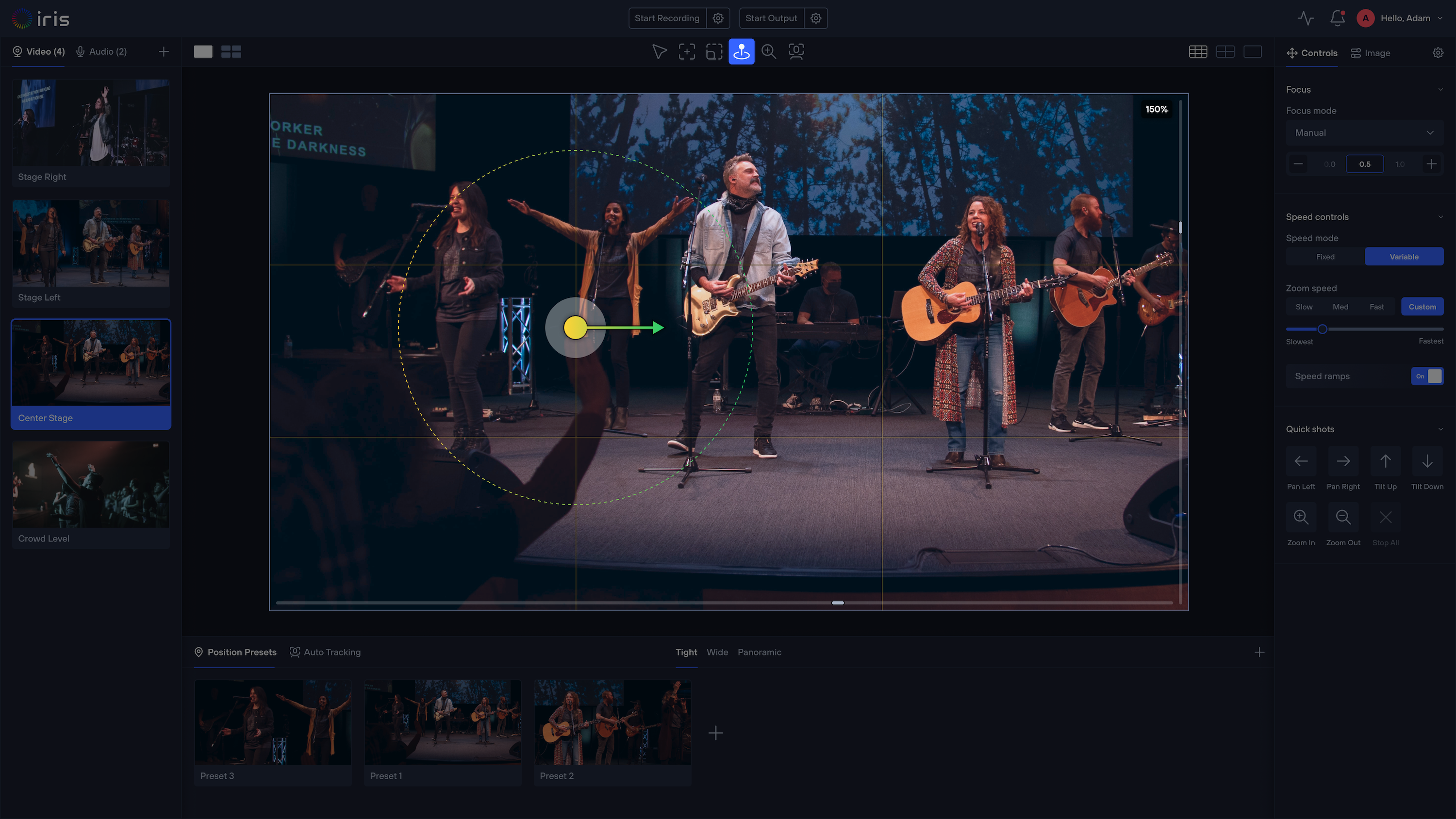
Iris is software-based PTZ camera control that runs on a Mac or Windows computer on your network and controls 400+ camera models across 25+ brands from one browser window. It is local-first — video stays on your LAN in Local Mode — and cloud-optional when someone remote needs to join. It sits alongside your switcher (OBS, vMix, ATEM, TriCaster) rather than replacing it. You can start free with one camera and add more when you are ready.
FAQ
What is a remote camera control platform? Software or hardware that lets an operator control PTZ cameras (pan, tilt, zoom, focus, exposure, presets) from a location other than where the cameras are installed, over a network.
Do I need the internet to control PTZ cameras remotely? Not if the operator and cameras share a network. You need internet only when the operator is in a different location, or for sign-in and collaboration features. Prefer platforms that let you keep video local.
Why does my PTZ camera show as online but not respond? Online usually means the video stream or network address is reachable. Control runs on a separate protocol and port (for example VISCA over IP on UDP 52381) that can be blocked, mis-addressed or busy while the stream is fine. Test control, not just the stream.
Can one person control multiple PTZ cameras from different brands? Yes, if the control software speaks each camera's protocol and presents them in one interface with shared presets and hotkeys. One operator running three to eight cameras is the most common setup among teams that do this well.
What control latency is acceptable for live PTZ operation? Under 300 ms from command to camera motion is workable for live framing; under 150 ms feels like a hardware joystick. Glass-to-glass video latency is a separate, larger number.
More from the Iris blog
All posts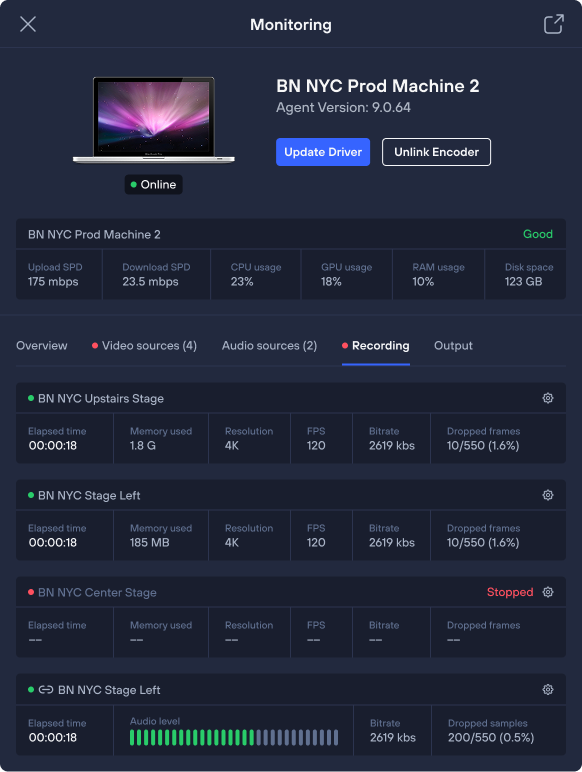
Get started
Upgrade your PTZ control with Iris.
Control, manage, color-correct, and monitor any camera from anywhere — with the brands and gear you already own.