
.png)
Remote PTZ Control Over the Internet: What Latency Operators Will Tolerate, and How to Keep Their Trust
How to plan remote PTZ control so operators trust it: what to run remotely, what to keep local, and how to plan for the link failing.

Remote production has moved from broadcast trucks to small teams: cameras at the venue, the director and camera operator somewhere else. The technology works. What breaks is trust. Once an operator feels the camera lagging behind their hand, they stop making live moves and fall back on safe, static shots, and the production gets worse even though nothing technically failed. Here's how to plan remote PTZ control so operators keep trusting it.
Key takeaways:
- Split the job: run anything that needs instant response locally, and use remote control for what tolerates a little delay.
- Measure the control path, not just the video path.
- Plan for the internet dropping, because it will. And give remote operators preset-driven moves rather than freehand follow shots.
Two latencies, not one
Remote operators feel two delays: the time for a command to reach the camera, and the time for the resulting picture to come back. Video usually dominates, especially over the internet. A camera that responds in a few hundred milliseconds can still feel sluggish if the operator's preview is a second behind. Measure both: send a preset recall and count frames until the camera moves in the return feed.
What to run remotely, and what to keep local
| Task | Remote-friendly? | Why |
|---|---|---|
| Preset recalls | Yes | A short delay doesn't change the result |
| Small reframes (click to center) | Yes | One command, one result |
| Color and exposure matching | Yes | Not time-critical |
| Monitoring camera health | Yes | Ideal job for a remote seat |
| Fast freehand follow shots | Keep local | Every delay is visible on air |
| Tracking a fast-moving subject | Keep local, or automate on site | Remote delay compounds |
Plan for the connection failing
Remote control depends on two internet connections and everything between them. Decide in advance what happens when the link drops: someone on site who can take over, cameras parked on a safe wide preset, and a control setup where the local operator isn't affected by the remote link failing. Test failover in rehearsal, not during the show.
Keep the local path local
The most common mistake is routing everything, including the on-site operator, through the cloud. That adds delay for the person who doesn't need it and makes the whole show depend on the internet. The on-site operator should control cameras over the local network; only the remote seat should cross the internet.
Help operators trust the surface
- Give remote operators presets and assisted framing, not a raw joystick.
- Slow preset speeds slightly; smooth moves hide small delays.
- Show them camera health (bitrate, frame rate, packet loss) so they know whether a problem is the camera or the link.
- Rehearse with the real connection, at the real venue.
How Iris approaches remote PTZ
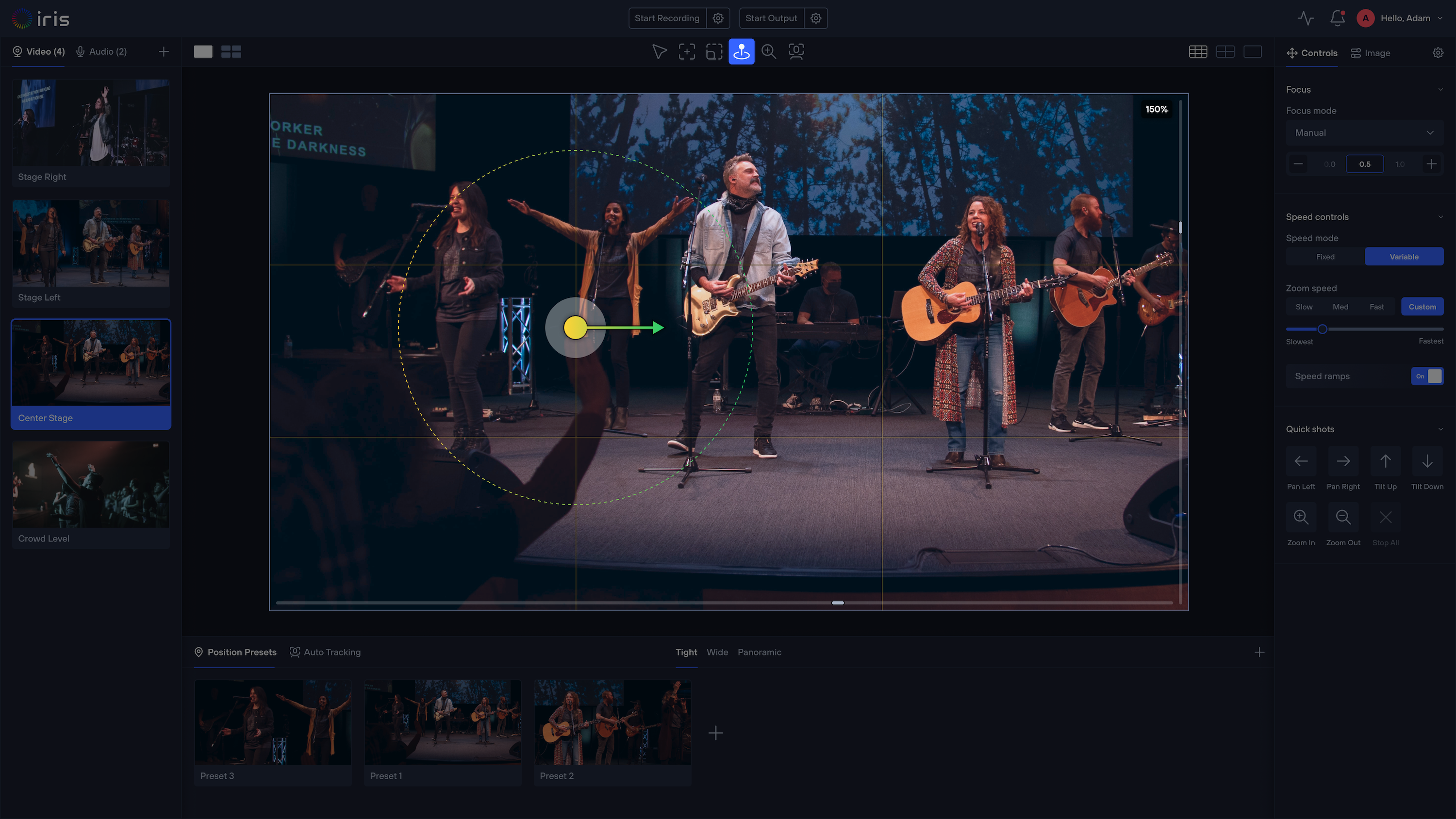
Iris runs local-first: in Local Mode, control and video stay on the venue network, with under 300 ms control latency for the on-site operator. A remote director or operator joins the same Studio in Cloud Mode with the same presets, framing tools and monitoring. Roles control who can move what, and guest access can expire after the show. It's software-based and works with 400+ PTZ models across 25+ brands, alongside the switcher you already use.
FAQ
Can I control PTZ cameras remotely over the internet? Yes. Expect more delay than on a local network; use remote control for presets, reframes and monitoring, and keep fast freehand moves local.
What latency is acceptable for remote PTZ control? For preset recalls and small reframes, a second of round-trip delay is workable. For freehand follow shots, operators need it to feel nearly immediate, which in practice means local control.
What happens if the internet drops during remote production? Plan a local fallback: an on-site operator or cameras parked on a safe preset, with local control unaffected by the remote link.
More from the Iris blog
All posts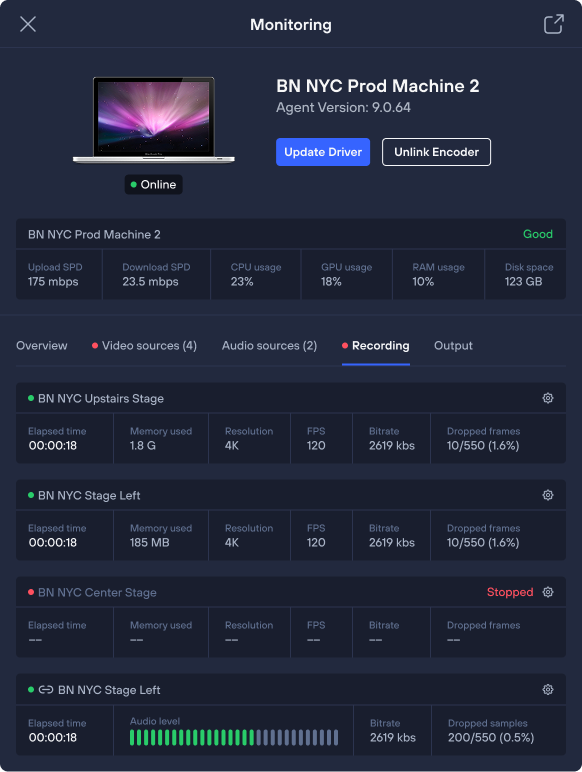

Get started
Upgrade your PTZ control with Iris.
Control, manage, color-correct, and monitor any camera from anywhere — with the brands and gear you already own.