
PTZ Cameras for Church Volunteers: A Setup That Works When Nobody Is a Camera Operator
A camera playbook for volunteer-run churches: presets with pictures, roles, a pre-service check, and remote help when it's needed.

Updated November 2026
Most church livestreams are run by volunteers who are also greeting, running slides, or watching their kids. PTZ cameras make a multi-camera service possible without a camera operator at every position, but only if the camera side is set up so that a volunteer can't really get it wrong. This is the playbook: what to automate, what to lock down, and how to check everything before the service starts.
1. Build the service from presets
A typical service needs five to eight shots: wide, pulpit, worship leader, band, baptistry or stage left, congregation. Save each as a preset on every camera, in the same order, every week. Use preset groups if Sunday morning and midweek look different. Presets with thumbnails let a volunteer pick the picture rather than remember a number.
2. Fewer controls, not more
The best volunteer interface has a few obvious buttons. Hide what they don't need. If someone needs to fix a frame, click-to-center (click the person, the camera centers on them) is easier to learn than a joystick. Set preset speeds slow so a recall looks deliberate on the stream.
3. Use roles so mistakes can't go live
Give your experienced team members full control, give rotating volunteers the access they need, and give anyone who just wants to watch (a pastor checking the feed, a trainee) view-only access. View-only users can't move a camera, so they can't move the one that's on air.
4. Check every camera before the service
Ten minutes before doors open, run the same check every week: every feed visible, one preset recalled on every camera, image looks right (lights change between rehearsal and service), and nothing flagged offline. Cameras that were bumped, unplugged or reset during the week are found now, not during the sermon.
5. Keep camera control separate from the stream
When camera control lives inside your streaming software as a plugin, a control problem can take the stream down with it. Running camera control as its own application, alongside OBS, vMix, ProPresenter or your streaming platform, means the worst case is a camera that stops moving, not a service that stops streaming.
6. Plan for remote help
The person who knows the cameras isn't always in the building. Software that lets an experienced team member join from home, see every camera, and fix a preset during the service turns a crisis into a two-minute fix. Use guest access that expires after the service.
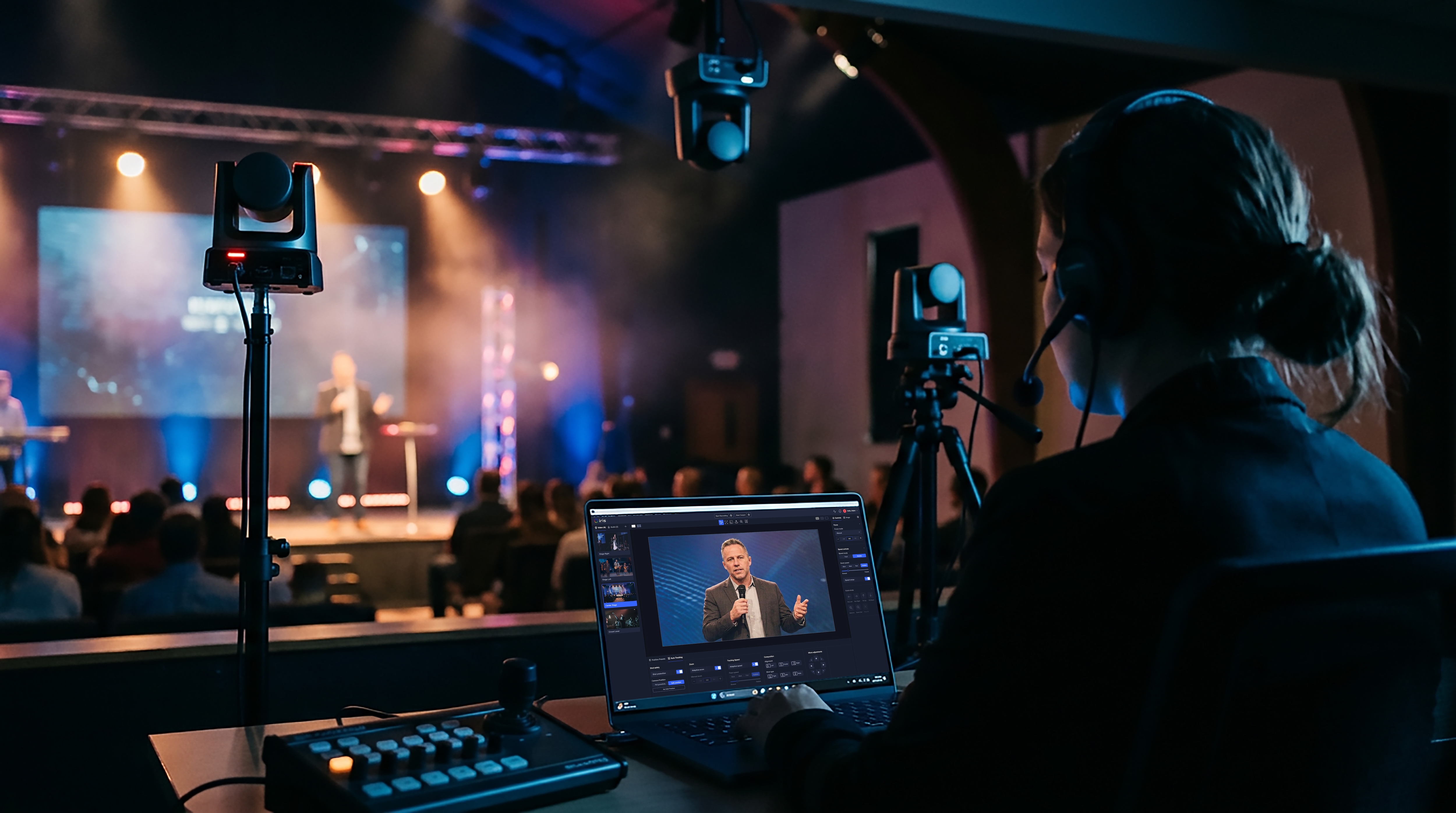
A sample Sunday setup
How Iris helps
Iris is camera control built for exactly this: presets with thumbnails and groups across 400+ camera models, click-to-center and drag-to-frame, image presets to keep cameras matched, roles from Owner to Viewer with expiring guest access, and per-camera monitoring for the pre-service check. It runs as its own app on your network, alongside OBS, vMix, ProPresenter or your streaming platform, and a remote team member can join the same Studio from home. Start free with one camera.
FAQ
What's the best PTZ setup for church volunteers? Presets with thumbnails for every planned shot, slow preset speeds, click-to-reframe for small fixes, and role-based access so volunteers can't move the live camera by mistake.
How many PTZ cameras can one volunteer run? With good presets, three to six is common. The limit is attention during the service.
Can someone help with our cameras remotely during the service? Yes, with software that supports remote sessions. Give them access for the service and let it expire afterward.
Why does our PTZ plugin crash the stream? When control runs inside the streaming app, a plugin fault can take the app down. Running control as a separate application isolates that risk.
More from the Iris blog
All posts
Get started
Upgrade your PTZ control with Iris.
Control, manage, color-correct, and monitor any camera from anywhere — with the brands and gear you already own.