
Iris is a proud sponsor of The Tech Arts Podcast.

FOR TECH ARTS PODCAST LISTENERS
Run your church cameras like a Pro.
Tech Arts listeners get 90 days of Iris Pro free. Run your PTZ cameras from a laptop, so your volunteers can get great shots without a hardware controller.
Heard about us on the show?
Thanks for listening.
Thanks for listening to The Tech Arts Podcast. David and the DGCM team help churches run services like a pro, and we built Iris to make the camera side of that easier for your team.
Volunteer toolkit
Great shots, without the learning curve.
Train volunteers fast
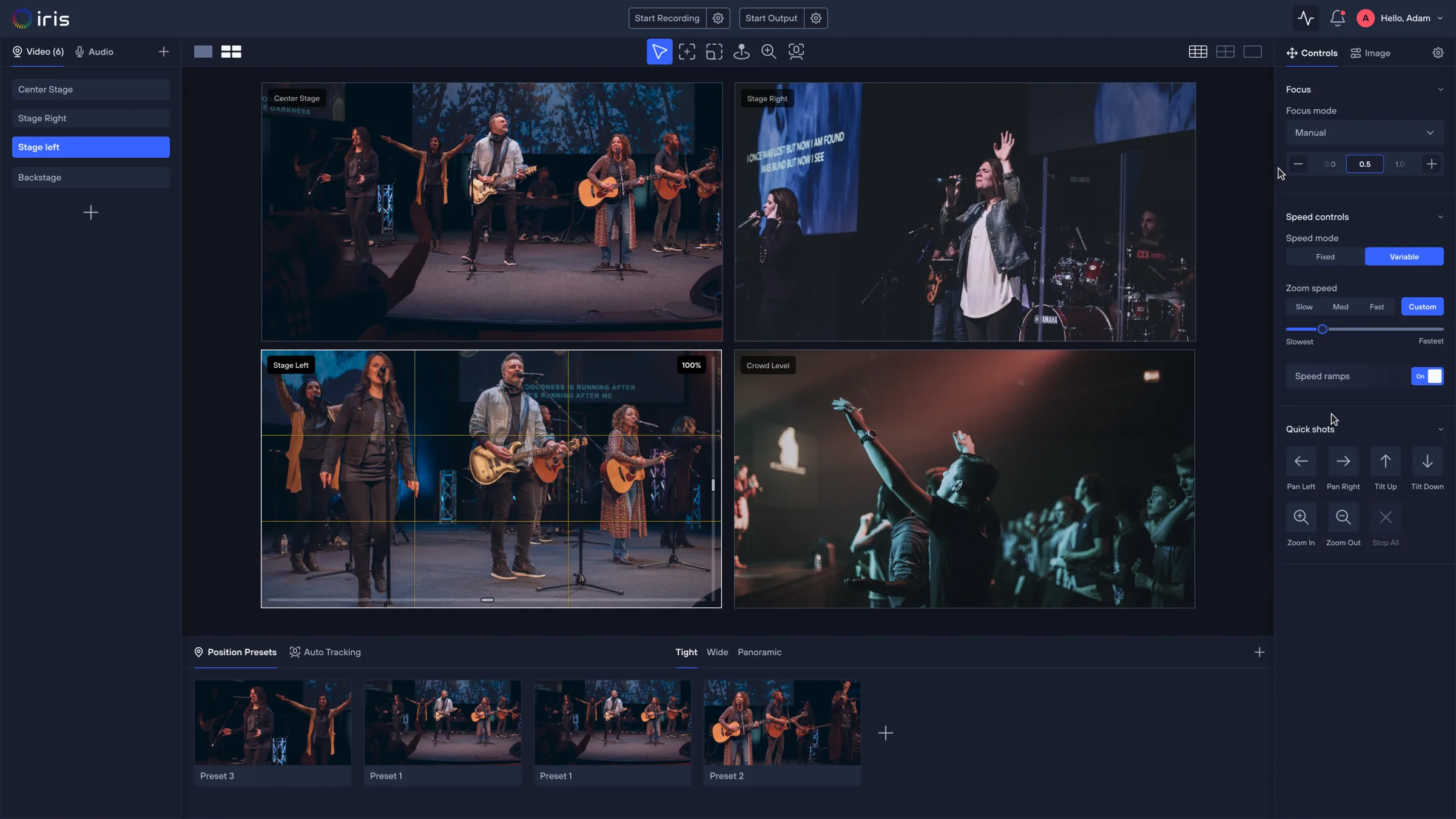
Labelled presets and click to center let a new volunteer get great shots with no joystick experience required.
Shared presets for every service
Save your pulpit, worship team and wide shots once, and every operator recalls the same looks each week.
Skip the hardware controller
Run every PTZ camera from a laptop with your mouse and keyboard, and add a Stream Deck later if you want one.
How to claim
Three steps to Iris Pro.
Create your account, enter DGCM90 and add your first camera, all in one sitting. Your next service gets 90 days of Iris Pro.
Create your free Iris account
Sign up for free at studio.tryiris.ai in under a minute.
Enter DGCM90 at checkout
Go to Profile › Billing › Change Plan › Upgrade Plan and enter the code.
Add your first camera
Connect a PTZ camera and start building presets for Sunday.
FAQ
The offer, answered.
Do I need special hardware?
No. Iris runs on a laptop and works with 400+ supported camera models, so you don't need a hardware controller. Explore supported cameras
What happens after 90 days?
Your account moves to the Free plan unless you choose to upgrade to Pro monthly. You keep your account either way.
Is this for my whole team?
Yes! You can share access to your Iris studio with anyone on your team, no matter where they're located. You get up to 2 seats, then $5 monthly for each additional one.
Who is DGCM?
Digital Great Commission Ministries is a nonprofit that helps churches use technology to support their mission. Visit digitalgreatcommission.org